The Hidden O(N) Pagination Trap
When building data-heavy B2B SaaS platforms at Smart Tech Devs, rendering lists of invoices, logs, or user rosters is standard practice. The default developer reflex is to reach for Laravel's standard length-aware paginator: Invoice::paginate(15).
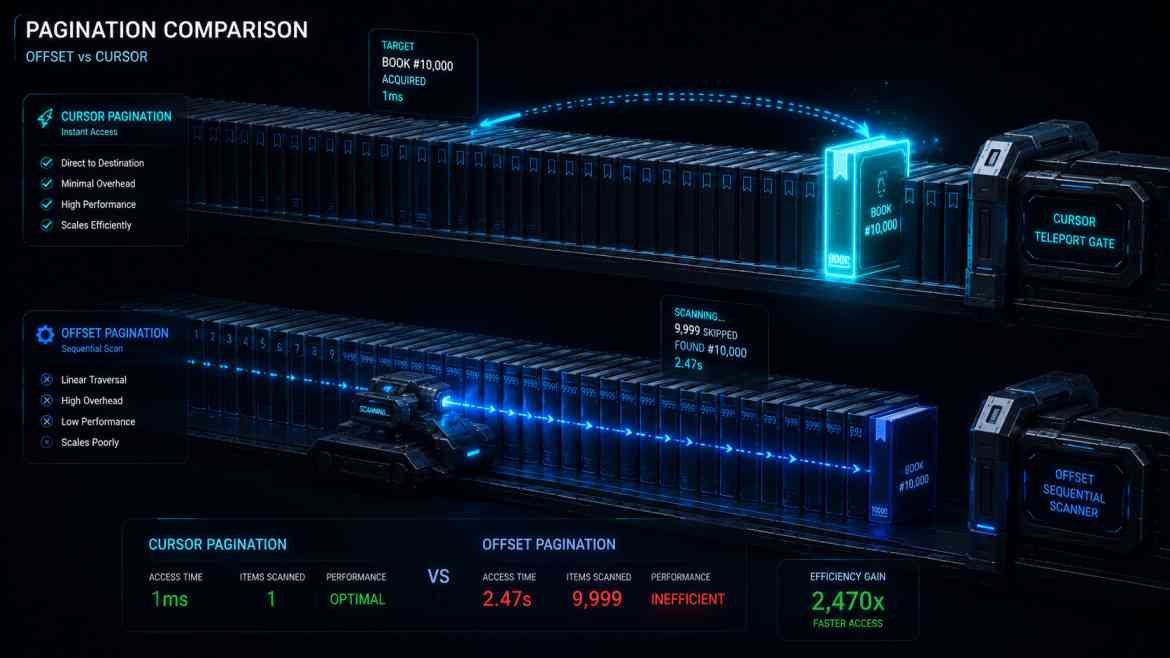
Under the hood, this compiles to a SQL query using LIMIT 15 OFFSET X. For the first few pages, this is lightning fast. But what happens when an enterprise client navigates to page 10,000? The database executes LIMIT 15 OFFSET 150000. To fulfill this, PostgreSQL cannot simply jump to row 150,000. It must scan the index, read the first 150,000 rows from disk, count them, discard them, and *then* return the next 15. As your data grows, standard pagination experiences exponential performance degradation, eventually choking your database CPU entirely.
The Enterprise Solution: Cursor Pagination
To architect databases for infinite scale, we must abandon the OFFSET command. Instead, we use **Cursor Pagination** (also known as Keyset Pagination).
Cursor pagination relies on a sequential identifier (like an auto-incrementing ID or a ULID). When the user requests the next page, the client sends the ID of the *last item* they saw. The SQL query becomes: WHERE id > 150000 LIMIT 15. Because the id column is indexed, the database jumps directly to that exact row in milliseconds using a B-Tree lookup. The time complexity stays perfectly flat at O(1), whether you are on page 1 or page 1,000,000.
Implementing Cursors in Laravel
Laravel makes the architectural transition from offset to cursor pagination incredibly seamless. You simply swap a single method call in your Eloquent builder.
namespace App\Http\Controllers\Api;

use App\Http\Controllers\Controller;
use App\Models\AuditLog;
use Illuminate\Http\Request;

class SystemLogController extends Controller
{
    public function index(Request $request)
    {
        // ❌ THE ANTI-PATTERN: Scans and discards rows. Slows down exponentially at scale.
        // $logs = AuditLog::orderBy('id', 'desc')->paginate(15);

        // ✅ THE ENTERPRISE PATTERN: O(1) Performance. Instant lookup via index.
        $logs = AuditLog::orderBy('id', 'desc')->cursorPaginate(15);

        return response()->json($logs);
    }
}
The Trade-off: Navigational Limits
Cursor pagination provides infinite scaling speed, but it comes with a strict UI trade-off: **You cannot jump to specific pages**. Because the database doesn't know the exact offset, you cannot render a pagination bar with buttons for "Page 1, 2, 3... 50". You can only provide "Next" and "Previous" buttons, or implement an Infinite Scroll architecture on the frontend.
The Engineering ROI
In B2B SaaS, users rarely need to click directly to "Page 47" of a system log feed; they simply scroll down or use a search filter. By migrating heavy data feeds to cursorPaginate(), you entirely eliminate the risk of deep-pagination database timeouts. Your API response times remain locked in the single-digit milliseconds, protecting your database connection pools and guaranteeing a flawless user experience at massive scale.