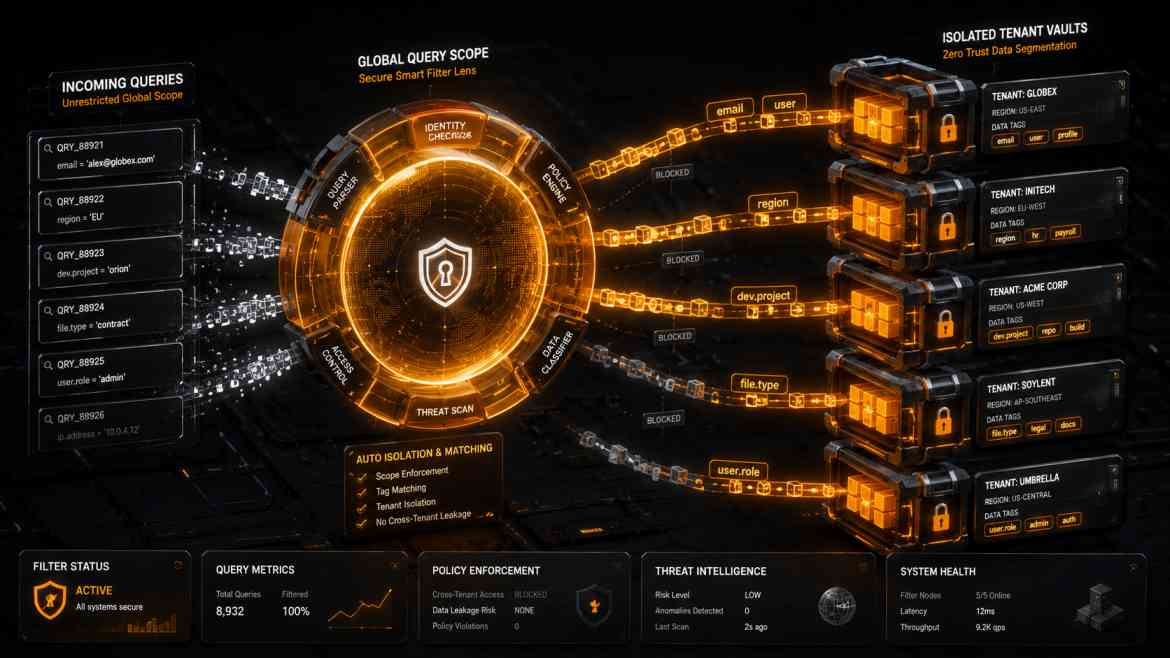
The Human Error Vulnerability
When engineering a shared-database B2B SaaS platform at Smart Tech Devs, ensuring complete data isolation between corporate accounts is an absolute technical mandate. The standard approach for junior developers is to manually append a where('tenant_id', $tenantId) constraint to every single Eloquent query across the codebase.
While this manual strategy works initially, it introduces a severe architectural vulnerability: **Human Error**. The moment a developer forgets to append that exact where clause inside a new analytics controller, reporting dashboard, or background export line, Tenant A will suddenly see sensitive invoices or user rosters belonging to Tenant B. This single line omission triggers a catastrophic data leak. To build bulletproof SaaS environments, data containment must be automated via **Global Query Scopes**.
The Solution: Eloquent Global Scopes
Laravel’s Eloquent model engine features a powerful automation layer called Global Scopes. By applying a custom scoping class to our multi-tenant database models, we instruct the framework to automatically inject the correct tenant_id query condition under the hood for *every single database lookup*, removing manual developer responsibility entirely.
Step 1: Architecting the Global Scope Class
We build a dedicated scope class that intercepts every incoming database select query statement, analyzing the current tenant context safely from the request pipeline.
namespace App\Scopes;

use Illuminate\Database\Eloquent\Builder;
use Illuminate\Database\Eloquent\Model;
use Illuminate\Database\Eloquent\Scope;

class TenantScope implements Scope
{
    /**
     * Apply the tenant isolation constraint to a given Eloquent query builder.
     */
    public function apply(Builder $builder, Model $model): void
    {
        // 1. Resolve the active tenant ID from the global manager context
        $tenantId = app('tenant.manager')->getTenantId();

        // 2. If an active tenant is present, automatically enforce containment boundaries
        if ($tenantId) {
            $builder->where($model->getTable() . '.tenant_id', $tenantId);
        }
    }
}
Step 2: Building a Flushable Tenant Trait
Instead of manually loading the scope inside every single model definition file, we encapsulate the registration logic within a reusable PHP Trait. This trait handles booting sequences and automatically sets the tenant_id field during model creation.
namespace App\Models\Traits;

use App\Scopes\TenantScope;

trait BelongsToTenant
{
    /**
     * Boot the trait to apply the global scope automatically.
     */
    public static function bootBelongsToTenant(): void
    {
        // Automatically isolate all read queries
        static::addGlobalScope(new TenantScope);

        // Automatically inject the current tenant ID when creating records
        static::creating(function ($model) {
            if (empty($model->tenant_id)) {
                $model->tenant_id = app('tenant.manager')->getTenantId();
            }
        });
    }
}
Step 3: Implementation inside the Eloquent Core
Now, our core multi-tenant models (like Invoice, Customer, or Project) simply leverage the trait. The rest of your business logic controllers remain completely clean and unaware of the scoping mechanics.
namespace App\Models;

use Illuminate\Database\Eloquent\Model;
use App\Models\Traits\BelongsToTenant;

class Invoice extends Model
{
    // The trait automatically protects this model from ever leaking across boundaries
    use BelongsToTenant;
}
The Engineering ROI
By enforcing automated multi-tenant global scopes, you build a zero-trust database extraction layer. Even if a junior engineer writes a broad raw query statement like Invoice::all(), Laravel intercepts the execution path under the hood, ensuring the SQL output compiles safely with structural tenant constraints appended. Data safety shifts from a manual checklist to an ironclad architectural design pattern.