The Real-Time Analytics Bottleneck
In enterprise B2B SaaS platforms at Smart Tech Devs, the executive dashboard is the most critical page. Clients want to log in and instantly see their Monthly Recurring Revenue (MRR), total active users, and churn rates. The standard developer reflex is to write complex Eloquent aggregates: joining the users, subscriptions, and invoices tables, calculating sums, and grouping by month.
When your database has 10,000 rows, this query takes 50 milliseconds. When your database has 5 million rows, this query takes 6 seconds. If 100 executives log into their dashboards at 9:00 AM, your PostgreSQL database will attempt to run 100 simultaneous 6-second aggregate queries. The CPU spikes to 100%, connection pools exhaust, and the platform crashes. You cannot calculate heavy analytics on the fly. You must pre-compute them using Materialized Views.
The Solution: PostgreSQL Materialized Views
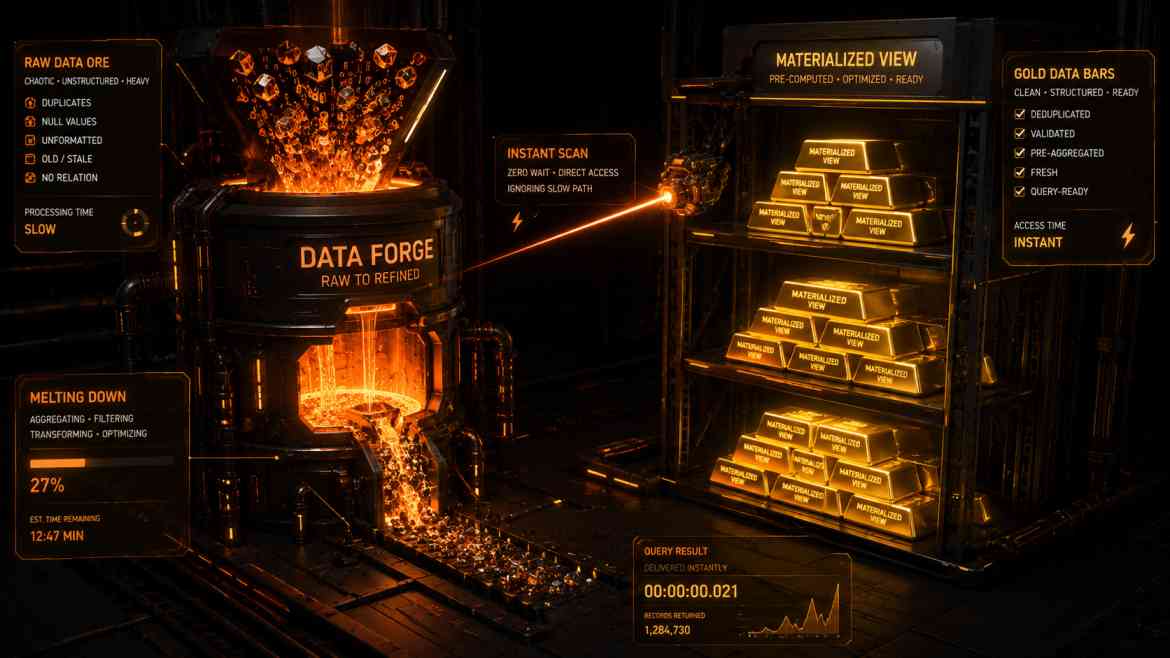
A standard SQL View is just a saved query; it still runs the heavy math every time you call it. A Materialized View, however, runs the heavy math once and saves the result as a physical, queryable table on your disk.
When the executive loads their dashboard, they aren't scanning 5 million rows. They are querying a tiny, pre-calculated 10-row materialized view table. The response time drops from 6 seconds to 2 milliseconds.
Step 1: Architecting the Migration
Laravel doesn't have native schema builders for Materialized Views, so we utilize raw SQL within our migration files to define the complex aggregate logic.
use Illuminate\Database\Migrations\Migration;
use Illuminate\Support\Facades\DB;

class CreateMonthlyRevenueMaterializedView extends Migration
{
    public function up(): void
    {
        // 1. Create the Materialized View
        DB::statement('
            CREATE MATERIALIZED VIEW monthly_tenant_revenue AS
            SELECT
                tenant_id,
                DATE_TRUNC(\'month\', created_at) AS billing_month,
                COUNT(id) as total_invoices,
                SUM(amount) as total_revenue
            FROM invoices
            WHERE status = \'paid\'
            GROUP BY tenant_id, DATE_TRUNC(\'month\', created_at)
        ');

        // 2. Add a Unique Index to allow for CONCURRENT refreshes later
        DB::statement('
            CREATE UNIQUE INDEX monthly_tenant_revenue_unique_idx
            ON monthly_tenant_revenue (tenant_id, billing_month);
        ');
    }

    public function down(): void
    {
        DB::statement('DROP MATERIALIZED VIEW IF EXISTS monthly_tenant_revenue;');
    }
}
Step 2: Refreshing the Data Asynchronously
Because the data is saved physically, it will go stale as new invoices are paid. We must refresh it. Instead of refreshing it when a user clicks a button (which blocks their request), we set up a background Laravel Job to refresh it quietly every hour.
namespace App\Jobs;

use Illuminate\Bus\Queueable;
use Illuminate\Contracts\Queue\ShouldQueue;
use Illuminate\Foundation\Bus\Dispatchable;
use Illuminate\Support\Facades\DB;

class RefreshRevenueAnalytics implements ShouldQueue
{
    use Dispatchable, Queueable;

    public function handle(): void
    {
        // The CONCURRENT keyword is absolute magic.
        // It allows PostgreSQL to update the materialized view in the background
        // WITHOUT locking the table. Users can still read the old data while the new data generates!
        DB::statement('REFRESH MATERIALIZED VIEW CONCURRENTLY monthly_tenant_revenue;');
    }
}
The Engineering ROI
By shifting heavy analytics to Materialized Views, you completely decouple your read performance from your data volume. Your dashboards load instantly regardless of how many millions of rows exist in your core tables. You transform unpredictable, CPU-heavy dashboard loads into flat, O(1) lightning-fast queries, guaranteeing a premium executive user experience.