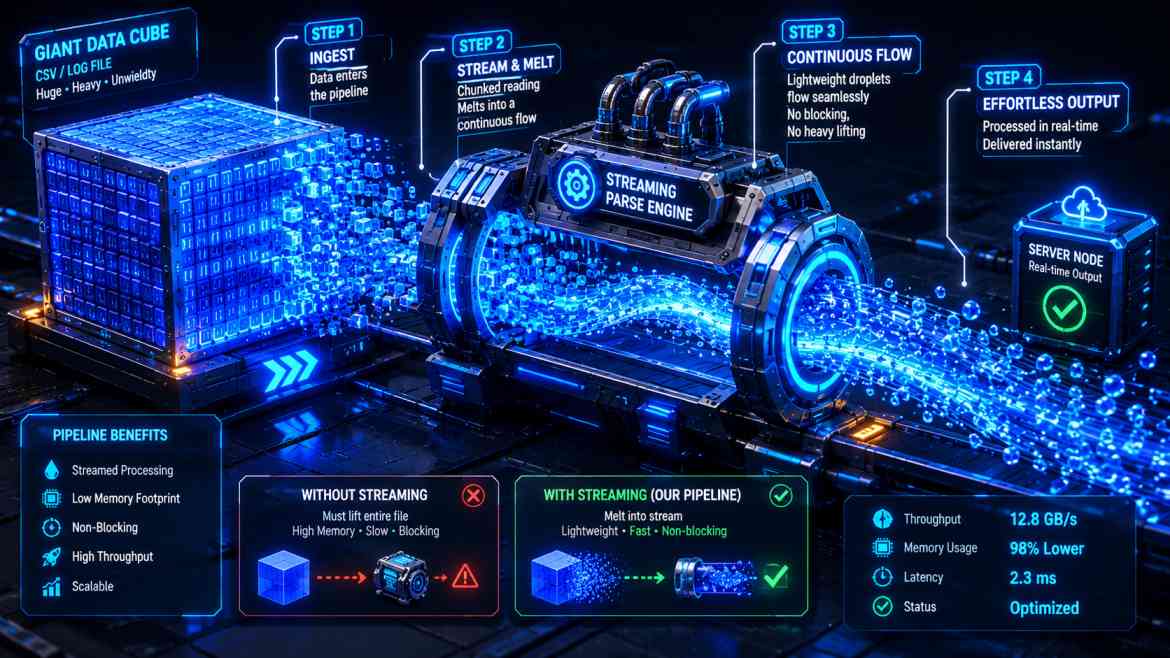
The Memory Exhaustion Trap
In B2B SaaS engineering at Smart Tech Devs, giving enterprise clients the ability to export data—such as downloading 500,000 application logs, customer lists, or transaction histories into a CSV—is a mandatory requirement. The immediate reflex for many backend developers is to fetch the rows from the database, build the file payload entirely in PHP memory, and use Storage::download() or response()->download().
For small datasets, this works fine. But when the dataset grows, your application will crash. If you load 500,000 Eloquent records into memory to generate a CSV file, PHP will instantly breach its memory_limit, throwing a fatal Allowed memory size exhausted error. Your server drops the request, leaving the client with an empty download and a broken dashboard. To scale safely, you must stream files incrementally.
The Solution: `response()->streamDownload()`
Instead of reading millions of database rows into RAM entirely before serving them, we should stream the file data. Streaming allows your Laravel application to read a single row from the database, instantly push it out to the client's browser, and flush it out of server memory immediately. The memory consumption of your server stays perfectly flat at a few megabytes, whether you are exporting 100 rows or 10 million rows.
Architecting Streamed CSV Exports
We combine Laravel's native streamDownload() with database Cursors. A query cursor utilizes low-level database drivers to fetch records one by one, rather than loading the whole collection into Eloquent models.
namespace App\Http\Controllers\Api;

use App\Http\Controllers\Controller;
use App\Models\AuditLog;
use Illuminate\Http\Request;
use Symfony\Component\HttpFoundation\StreamedResponse;

class ExportController extends Controller
{
    /**
     * Stream a massive CSV export without exhausting server memory.
     */
    public function exportLogs(Request $request): StreamedResponse
    {
        $tenantId = $request->user()->tenant_id;

        // 1. Return a streamed response instantly to the browser
        return response()->streamDownload(function () use ($tenantId) {

            // 2. Open PHP's output buffer stream
            $file = fopen('php://output', 'w');

            // Add the CSV BOM and Header row
            fputs($file, chr(0xEF).chr(0xBB).chr(0xBF));
            fputcsv($file, ['ID', 'Action', 'IP Address', 'Timestamp']);

            // 3. Use an Eloquent cursor to query records one by one safely
            $logs = AuditLog::where('tenant_id', $tenantId)
                            ->orderBy('created_at', 'desc')
                            ->cursor(); // Memory allocation stays O(1)

            foreach ($logs as $log) {
                // Write the specific row data to the network stream buffer
                fputcsv($file, [
                    $log->id,
                    $log->action,
                    $log->ip_address,
                    $log->created_at->toIso8601String(),
                ]);

                // Free up memory immediately after each iteration
                unset($log);
            }

            // 4. Clean up the open file pointer
            fclose($file);

        }, 'massive-export-' . now()->format('Y-m-d') . '.csv', [
            'Content-Type' => 'text/csv',
            'Cache-Control' => 'no-cache, must-revalidate',
        ]);
    }
}
The Engineering ROI
Implementing streamed responses creates an invulnerable export system. By pairing a database cursor with streamDownload(), your backend completely avoids RAM spikes during intense computation tasks. Your platform can happily handle hundreds of concurrent enterprise-grade exports simultaneously, while keeping the API blazingly fast and responsive for other incoming requests.