The Specificity War
When engineering large enterprise frontends or modular B2B dashboards at Smart Tech Devs, managing global CSS overrides can transform into a messy styling war. The nightmare occurs when you combine your core design system frameworks (like Tailwind CSS) with legacy application styles or complex third-party chart and calendar client packages.
You define a pristine utility class on an element, but because a third-party package script injected a heavy selector string like .dashboard .sidebar div > button elsewhere, the browser favors the heavy selector's styling rules. To fight this specificity, developers frequently resort to adding ugly !important flags across components, creating a brittle styling codebase that is incredibly difficult to maintain. To break free from this cycle, you must control the CSS timeline via Cascade Layers (@layer).
The Solution: Declarative Style Layering
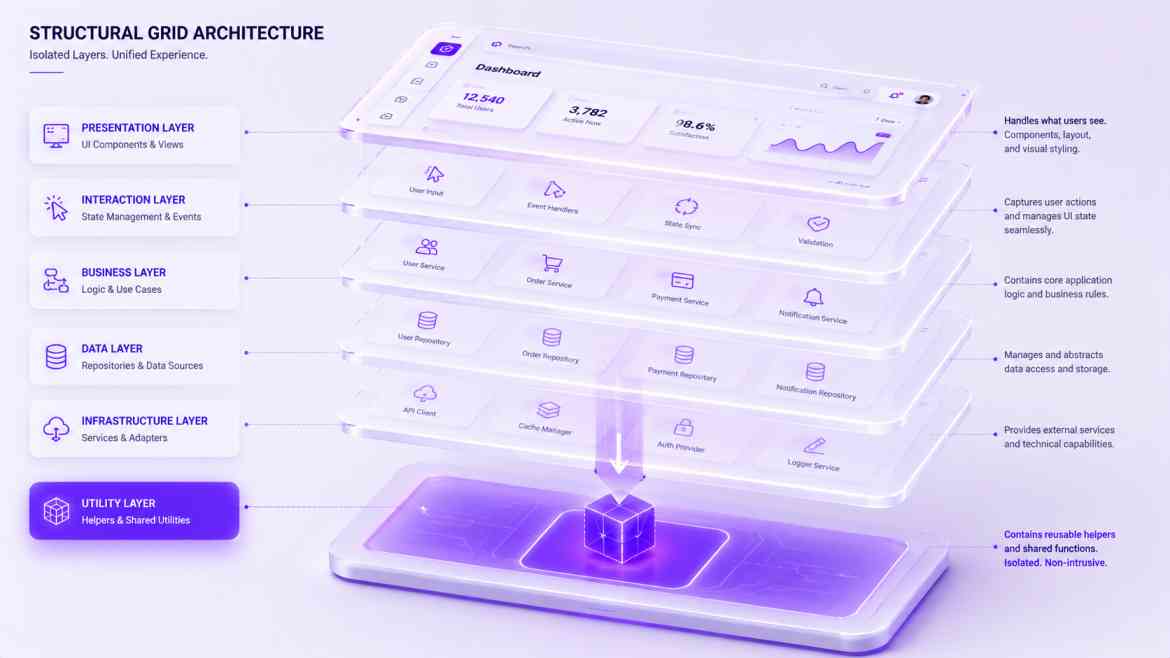
CSS Cascade Layers are a native browser specification that completely decouples style priority from CSS selector specificity. Instead of the browser deciding which style wins based on how complex its selector string is, it decides based on an explicit priority of named layers that you define at the root layout level.
Styles defined in a higher-priority layer will *always* overwrite styles in a lower-priority layer, even if the lower layer has a much heavier, more specific CSS path string.
Step 1: Establishing the Layer Order in Next.js
We define our explicit layout priorities at the very top of our global CSS entry point file, ensuring our custom design variables can effortlessly overwrite base package styles.
/* app/globals.css */

/* 1. Declare the strict cascade layer execution order from lowest to highest priority */
@layer reset, vendor, design-system, utilities;

/* 2. Assign styles to the specific low-priority vendor layer */
@layer vendor {
    /* If an external package defines a heavy, intrusive rule here,
       our core design system can still overwrite it with a simple class! */
    .external-legacy-calendar-widget table td > div {
        background-color: #888888;
        padding: 24px;
    }
}

/* 3. Wrap your primary styling core within a higher priority layer */
@layer design-system {
    .custom-dashboard-card {
        background-color: #ffffff;
        border-radius: 12px;
        box-shadow: 0 4px 6px -1px rgb(0 0 0 / 0.1);
    }
}

@layer utilities {
    /* Utility wrappers that must always override layout baselines */
    .force-brand-purple {
        background-color: #6366f1 !important;
    }
}
Step 2: Consuming Styles Securely inside React Components
Because the cascade priority is governed at the browser architecture level, your React component class lists stay highly clean and predictable. You can drop third-party UI widgets onto your dashboard without fearing that their internal style selectors will bleed out and warp your primary platform layout grid metrics.
// components/dashboard/ReportingWidget.tsx
import React from 'react';

export default function ReportingWidget() {
    return (
        <div className="custom-dashboard-card p-6">
            <h3 className="text-lg font-bold">Enterprise Financial Data</h3>

            {/* The styles within this calendar widget are fully quarantined inside
               the low-priority layer, allowing our clean local classes to take precedence */}
            <div className="external-legacy-calendar-widget mt-4">
                <LegacyCalendarEngine />
            </div>
        </div>
    );
}
The Engineering ROI
Adopting native CSS Cascade Layers removes layout specificity bugs from your development loop entirely. It isolates your application core from external legacy style contamination, allows your team to easily build plug-and-play white-label themes for distinct B2B corporate tenants, and provides granular control over visual execution weight without polluting your stylesheets with brittle structural hacks.