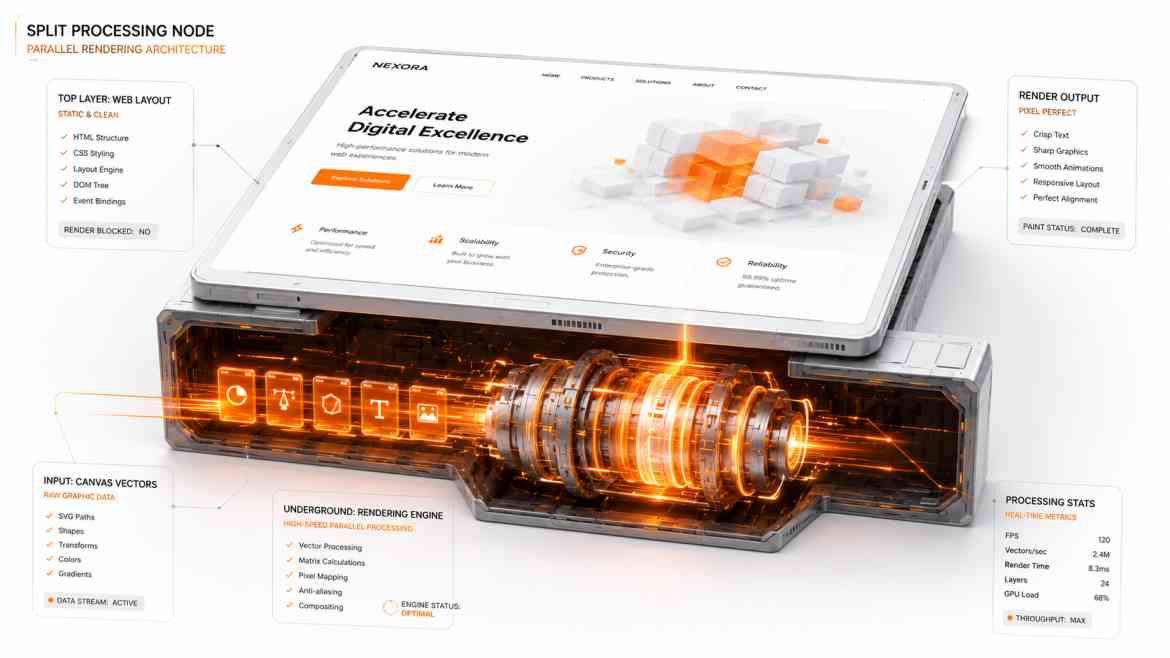
The Interactive Dashboard Bottleneck
Modern enterprise platforms at Smart Tech Devs demand high-density data visualizations. We build tracking spaces containing high-frequency financial charts, real-time server cluster heatmaps, or interactive collaborative mapping spaces. When rendering these tools on the web, developers look to the HTML5 <canvas> element to bypass DOM bloat overheads.
However, as your real-time data input streams scale to thousands of metrics per second, standard Canvas architectures hit a rigid browser wall. Because standard canvas drawing commands run directly on JavaScript's **Main UI Thread**, your rendering loops are competing with user clicks, layout text measurements, and React component state calculations. If the data calculation loop spikes, the Main Thread locks up for a fraction of a second. Frame rates drop, input typing lags, and the entire web application stutters. To achieve true 60fps performance, you must move rendering off the thread via OffscreenCanvas.
The Architectural Shift: Parallel Decoupled Painting
The OffscreenCanvas API is a game-changing browser specification that allows developers to completely decouple a canvas element from the main DOM workspace window.
Instead of executing heavy graphic calculations and paint loops on the main thread, we pass control of the canvas surface directly down into a dedicated background **Web Worker**. The Web Worker handles the calculations, processes the pixels, and paints frames inside its own isolated execution thread. If a user clicks an intensive dropdown menu or a layout re-render triggers on the main screen, your canvas visualization animations continue to paint at a buttery-smooth 60 frames per second without dropping a single frame.
Step 1: Designing the Background Worker Script
We build an isolated worker file that receives control of our canvas object and establishes a fast, non-blocking drawing loops.
// public/workers/renderWorker.js

let ctx = null;
let width = 0;
let height = 0;

self.addEventListener('message', (event) => {
    const { type, canvas, canvasWidth, canvasHeight, metrics } = event.data;

    // 1. Capture the structural canvas object during initialization
    if (type === 'INIT') {
        ctx = canvas.getContext('2d');
        width = canvasWidth;
        height = canvasHeight;
        return;
    }

    // 2. High-frequency render execution command loop
    if (type === 'RENDER_DATA' && ctx) {
        // Clear the canvas space in the background thread safely
        ctx.clearRect(0, 0, width, height);

        ctx.fillStyle = '#f97316'; // Brand Orange data nodes

        // Loop through metrics data arrays and paint raw pixels instantly
        metrics.forEach((point, idx) => {
            ctx.beginPath();
            ctx.arc(idx * 8, height - point, 4, 0, 2 * Math.PI);
            ctx.fill();
        });
    }
});
Step 2: Connecting the Canvas inside your Next.js Component
Inside our Client Component, we mount a standard canvas tag, extract its offscreen control token using transferControlToOffscreen(), and hand execution rights entirely down to our background worker thread.
// components/dashboard/RealTimeHeatmap.tsx
"use client";

import React, { useEffect, useRef } from 'react';

export default function RealTimeHeatmap() {
    const canvasRef = useRef<HTMLCanvasElement | null>(null);
    const workerRef = useRef<Worker | null>(null);

    useEffect(() => {
        if (!canvasRef.current) return;

        // 1. Initialize the background Web Worker process
        workerRef.current = new Worker('/workers/renderWorker.js');

        // 2. Extract control of the element and transfer it to the worker
        const offscreenCanvas = canvasRef.current.transferControlToOffscreen();

        workerRef.current.postMessage({
            type: 'INIT',
            canvas: offscreenCanvas,
            canvasWidth: 800,
            canvasHeight: 300
        }, [offscreenCanvas]); // The canvas object is securely transferred, not copied!

        // Simulate a rapid, high-frequency data socket input stream
        const interval = setInterval(() => {
            const mockMetrics = Array.from({ length: 100 }, () => Math.random() * 200);

            // Dispatch data directly down to the background painting deck
            workerRef.current?.postMessage({
                type: 'RENDER_DATA',
                metrics: mockMetrics
            });
        }, 16); // ~60 updates per second

        return () => {
            clearInterval(interval);
            workerRef.current?.terminate();
        };
    }, []);

    return (
        <div className="p-6 bg-white shadow rounded-xl border">
            <h3 className="font-bold text-gray-800 mb-4">Live System Operations Telemetry</h3>
            {/* The main thread only holds this empty structural placeholder shell */}
            <canvas ref={canvasRef} width={800} height={300} className="w-full bg-gray-50 rounded" />
        </div>
    );
}
The Frontend Physics ROI
By moving layout drawing systems off the main viewport stream, you insulate user interactions from compute bottlenecks. Your core React forms, tracking sidebars, and scrolling nodes remain perfectly fluid and click-responsive because their main processing lane is completely unburdened. Your charts gain an un-throttled painting pipeline that maintains premium, desktop-grade rendering speeds under massive real-time data stress.