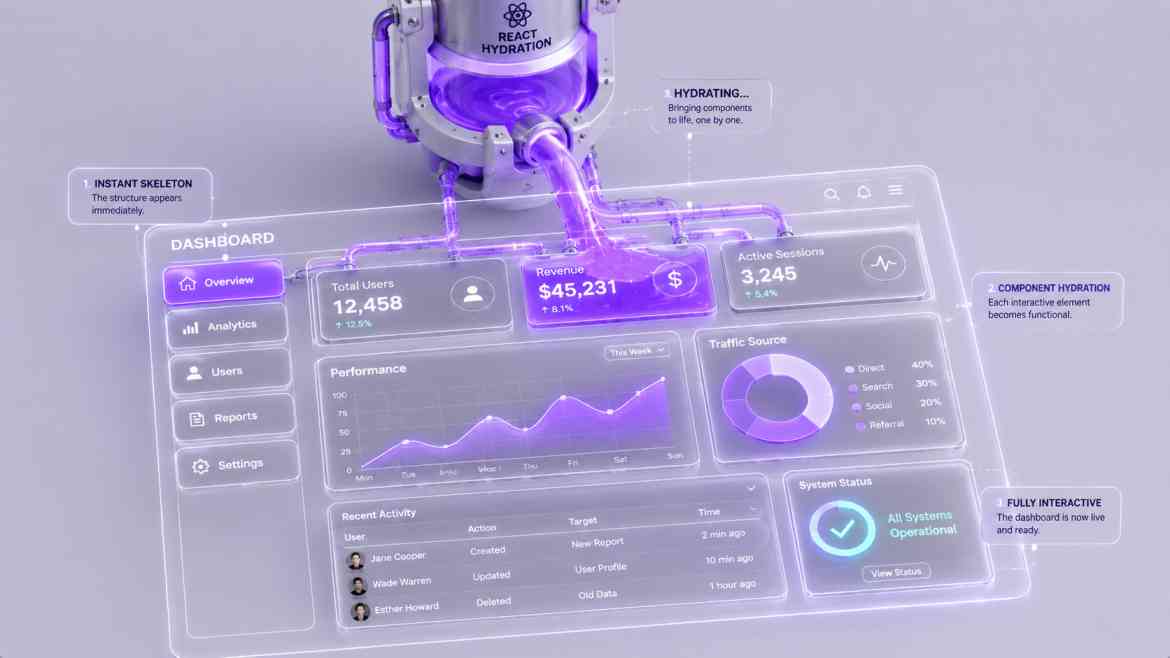
The Hydration Bottleneck
Next.js Server-Side Rendering (SSR) is fantastic for delivering a fast First Contentful Paint (FCP). The user's browser downloads raw HTML, and the dashboard is instantly visible. However, visibility does not equal interactivity. Before a user can click a dropdown or type in a search bar, React must download the JavaScript bundle, parse it, and attach event listeners to that HTML. This process is called Hydration.
In data-dense B2B SaaS dashboards at Smart Tech Devs, hydrating massive components—like interactive data grids or rich-text editors—is computationally expensive. If React attempts to hydrate a massive DOM tree all at once, JavaScript's single Main Thread locks up. The user sees the button, clicks it, and nothing happens for 2 seconds. Your Time to Interactive (TTI) is destroyed. To fix this, you must optimize how and when hydration occurs.
The Solution: Selective and Lazy Hydration
To unblock the main thread, we must instruct React to defer the hydration (or the loading entirely) of heavy, non-critical components until the core application is fully interactive.
Step 1: Disabling SSR for Heavy Client-Only Widgets
Some components, like complex charting libraries (e.g., Recharts, Chart.js) or embedded map widgets, provide zero SEO value and rely heavily on browser APIs. Sending their HTML from the server and then hydrating them is a waste of CPU. We use Next.js dynamic imports to banish them to the client side.
// app/dashboard/page.tsx
import dynamic from 'next/dynamic';

// ❌ THE ANTI-PATTERN: Forces the server to render the chart, and the client to heavily hydrate it.
// import HeavyAnalyticsChart from '@/components/HeavyAnalyticsChart';

// ✅ THE ENTERPRISE PATTERN: Skip SSR completely.
// The chart only loads and hydrates AFTER the main UI is interactive.
const DynamicAnalyticsChart = dynamic(
    () => import('@/components/HeavyAnalyticsChart'),
    {
        ssr: false,
        loading: () => <div className="h-64 bg-gray-100 animate-pulse rounded-xl">Loading analytics engine...</div>
    }
);

export default function Dashboard() {
    return (
        <div className="p-6">
            <h1>System Overview</h1>
            <DynamicAnalyticsChart />
        </div>
    );
}
Step 2: Selective Hydration via React Suspense
For components that do need SSR (like a list of recent invoices), but shouldn't block the main thread, React 18 introduced Selective Hydration. By wrapping secondary components in a <Suspense> boundary, you tell React to hydrate the main page first. If the user clicks on the Suspended component while it's waiting, React intelligently interrupts its background work to hydrate that specific clicked component instantly.
import { Suspense } from 'react';
import RecentInvoicesList from '@/components/RecentInvoicesList';

export default function BillingDashboard() {
    return (
        <div className="grid grid-cols-2 gap-6">
            {/* Primary UI hydrates instantly */}
            <BillingSummaryCards />

            {/* Secondary UI is wrapped in Suspense. React will prioritize hydrating
                the summary cards first, unblocking the thread for the user! */}
            <Suspense fallback={<InvoiceSkeleton />}>
                <RecentInvoicesList />
            </Suspense>
        </div>
    );
}
The Engineering ROI
By shifting heavy components to ssr: false and wrapping secondary data views in Suspense, you dramatically reduce your Total Blocking Time (TBT). Users no longer experience "rage clicks" where the UI is visible but unresponsive. The application feels natively fast because the main thread focuses entirely on immediate user interactivity while deferring heavy DOM attachment to the background.