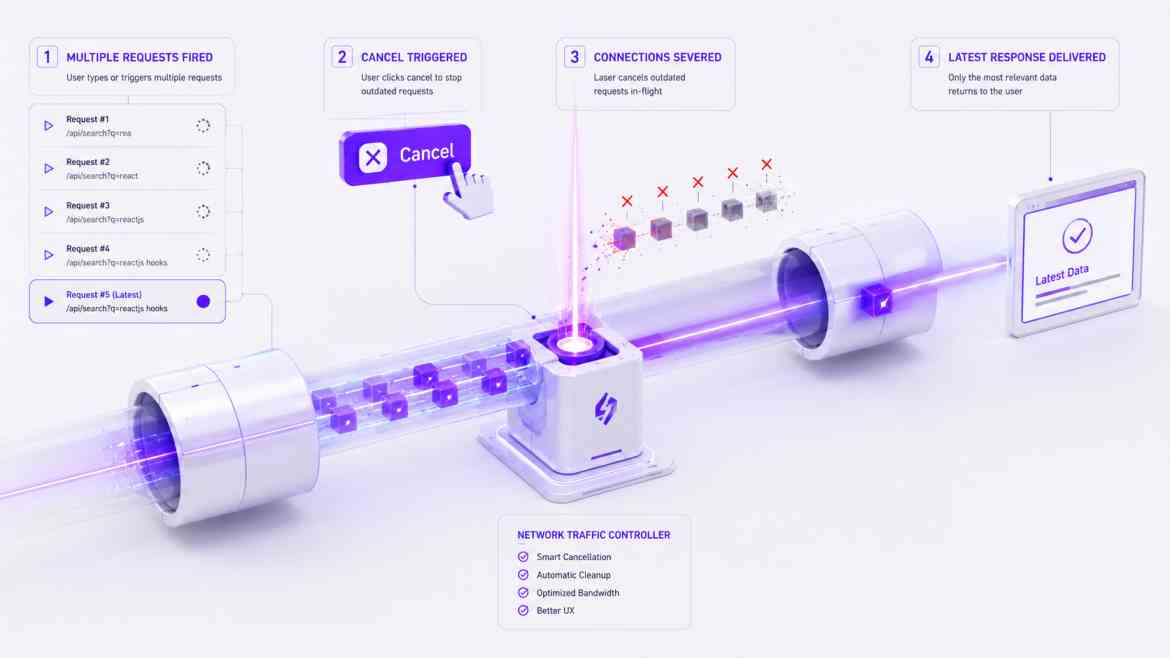
The Unmounted Component Trap
In highly interactive dashboards at Smart Tech Devs, users navigate quickly. Imagine a user clicks a "Generate Heavy Report" button, which fires an API request that takes 4 seconds to resolve. After 2 seconds, the user gets bored, clicks the "Back" button, and navigates away. The React component unmounts.
However, the browser's HTTP request is still in-flight! Two seconds later, the promise resolves, and the callback attempts to execute setReportData(data) on a component that no longer exists. This triggers the infamous React memory leak warning: "Can't perform a React state update on an unmounted component."
The Data Fetching Race Condition
An even worse bug occurs in search bars. A user types "A" (Request 1 fires, takes 3s). The user types "B" (Request 2 fires, takes 1s). Request 2 resolves first, showing the correct results for "AB". But two seconds later, the slow Request 1 finally resolves, overwriting the screen with the outdated results for just "A". To solve both memory leaks and race conditions, you must cancel stale API requests using the AbortController.
Architecting Cancellable Requests
The native Web AbortController API allows us to cleanly sever the connection to an active HTTP fetch request the moment a component unmounts or a dependency changes.
// components/dashboard/LiveSearch.tsx
"use client";

import React, { useState, useEffect } from 'react';

export default function LiveSearch() {
    const [query, setQuery] = useState('');
    const [results, setResults] = useState([]);

    useEffect(() => {
        if (!query) return;

        // 1. Initialize the AbortController
        const controller = new AbortController();
        const signal = controller.signal;

        const fetchData = async () => {
            try {
                // 2. Pass the signal to the fetch request
                const response = await fetch(`/api/search?q=${query}`, { signal });
                const data = await response.json();
                setResults(data);
            } catch (error: any) {
                // 3. Gracefully ignore AbortErrors (these are intentional cancellations)
                if (error.name === 'AbortError') {
                    console.log('Stale request cancelled.');
                } else {
                    console.error('Fetch error:', error);
                }
            }
        };

        fetchData();

        // 4. CLEANUP: When the component unmounts OR the query changes before
        // the previous fetch completes, instantly kill the old network request!
        return () => {
            controller.abort();
        };
    }, [query]); // Re-runs on every keystroke

    return (
        <div className="p-6 bg-white border rounded-xl">
            <input
                type="text"
                value={query}
                onChange={(e) => setQuery(e.target.value)}
                placeholder="Search database..."
                className="w-full p-2 border rounded"
            />
            {/* Render results... */}
        </div>
    );
}
The Engineering ROI
Implementing AbortController ensures your client-side architecture remains perfectly deterministic. You immediately free up browser network connections by killing abandoned requests, completely eliminate the risk of out-of-order race conditions in search inputs, and keep your React application free of memory leaks and unmounted state warnings.