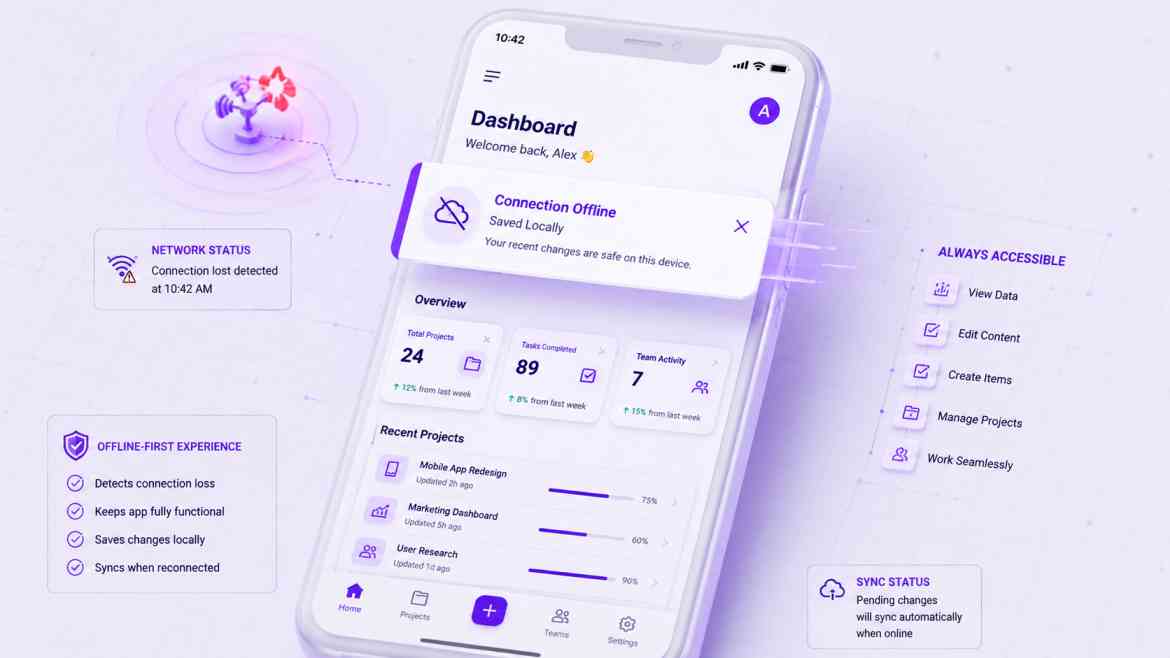
The Brittle Network Reality
Modern B2B SaaS interfaces are highly interactive data environments. Your users are managing inventories on mobile networks, updating Kanban boards while traveling on commuter trains, or drafting sales reports over shaky cafe Wi-Fi. The common architectural flaw is assuming a continuous, unyielding internet connection.
If a network dropout occurs right when a user hits "Save," a standard React application will often hang indefinitely, or trigger a messy unhandled exception that resets their workspace state entirely. All input data is permanently lost, causing severe user frustration. At Smart Tech Devs, we design our frontends for **Offline Resiliency**, keeping the client interface in total synchronization with real-world connection status.
The Solution: `useSyncExternalStore` for Connection States
To architect an interface that adapts instantly to network changes without triggering global re-rendering thrashing or layout shifts, we monitor browser state using React's native useSyncExternalStore hook. This subscription model connects cleanly to native browser events.
Step 1: Building a Resilient Network Status Hook
We bind directly to the browser's navigator.onLine event loop, passing an explicit subscription token down to our presentation components.
// hooks/useNetworkStatus.ts
"use client";

import { useSyncExternalStore } from 'react';

// 1. Define the subscription logic to external browser events
function subscribe(callback: () => void) {
    window.addEventListener('online', callback);
    window.addEventListener('offline', callback);

    return () => {
        window.removeEventListener('online', callback);
        window.removeEventListener('offline', callback);
    };
}

// 2. Define the snapshot retrieval function
function getSnapshot() {
    return navigator.onLine;
}

// 3. Fallback for Server-Side Rendering (SSR) context
function getServerSnapshot() {
    return true; // Default to assuming online during initial server rendering
}

export function useNetworkStatus() {
    // useSyncExternalStore safely subscribes to browser state without hydration mismatches
    const isOnline = useSyncExternalStore(subscribe, getSnapshot, getServerSnapshot);
    return isOnline;
}
Step 2: Graceful Degradation in Form Components
Now, we can use this network state to conditionally disable buttons, cache input data into localStorage temporarily, or display an intuitive banner rather than risking a broken API mutation request.
// components/OfflineSafeForm.tsx
"use client";

import { useState } from 'react';
import { useNetworkStatus } from '@/hooks/useNetworkStatus';

export default function OfflineSafeForm() {
    const isOnline = useNetworkStatus();
    const [inputValue, setInputValue] = useState('');

    const handleSubmit = async (e: React.FormEvent) => {
        e.preventDefault();
        if (!isOnline) {
            // Graceful Offline handling: Save text payload to local store
            localStorage.setItem('cached_draft', inputValue);
            alert("Connection lost. Your draft has been securely saved locally and will sync when you are online!");
            return;
        }

        // Proceed with normal API submission code...
    };

    return (
        <form onSubmit={handleSubmit} className="space-y-4">
            {!isOnline && (
                <div className="p-3 bg-amber-50 border border-amber-300 text-amber-800 text-sm rounded">
                    ⚠️ Working Offline. Actions will be queued locally.
                </div>
            )}

            <textarea
                value={inputValue}
                onChange={(e) => setInputValue(e.target.value)}
                placeholder="Write your updates..."
                className="w-full p-2 border"
            />

            <button
                type="submit"
                className={`px-4 py-2 text-white rounded ${isOnline ? 'bg-blue-600' : 'bg-gray-400'}`}
            >
                {isOnline ? 'Publish Updates' : 'Save Draft Offline'}
            </button>
        </form>
    );
}
The Engineering ROI
Building offline-aware UI components fundamentally stabilizes your user retention scores. Rather than allowing your SaaS dashboard to freeze or break during brief transit dead-zones, your frontend actively manages the disruption. It protects client inputs, removes form drop-out panic, and presents a responsive product that handles connection drops cleanly.