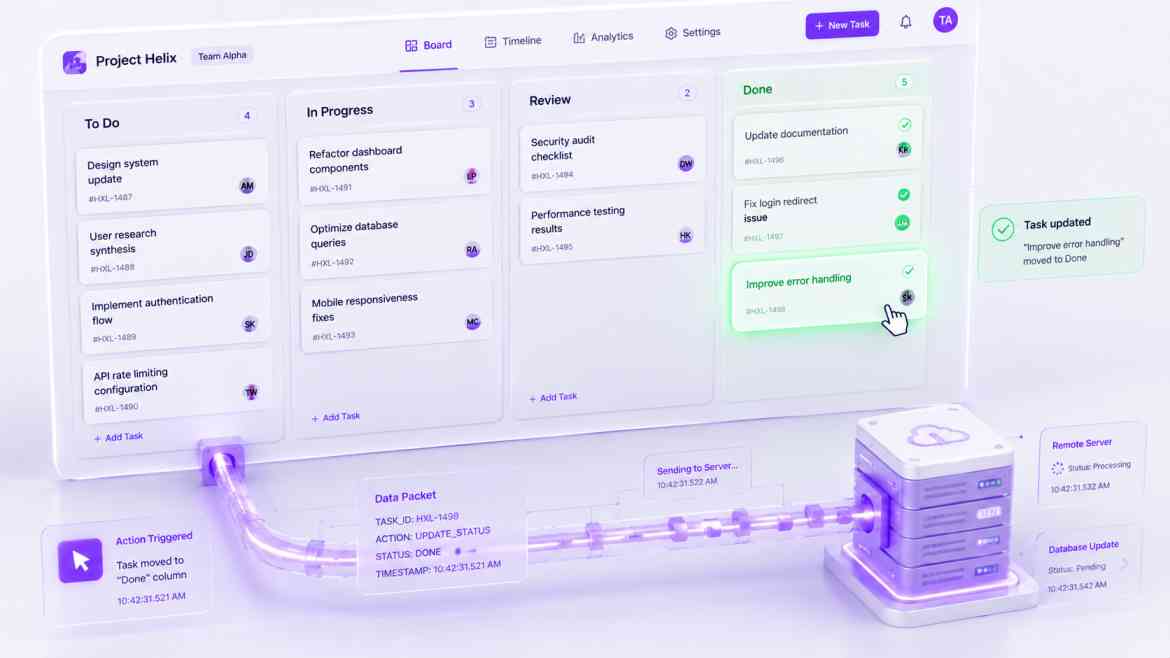
The "Spinner Fatigue" Problem
In modern web applications, the network is the ultimate bottleneck. When a user checks a task off a Kanban board or clicks a "Like" button, the standard React architecture follows a strict synchronous sequence: show a loading spinner, send an HTTP POST request, wait 300ms for the server to respond, and finally update the UI to show the checkmark.
While 300ms sounds fast, in a highly interactive B2B dashboard at Smart Tech Devs, forcing the user to stare at a loading spinner for every micro-interaction destroys the illusion of native software. The application feels sluggish and web-bound. To build premium, desktop-quality SaaS experiences, we must mask network latency entirely using Optimistic UI Updates.
The Optimistic Paradigm
Optimistic UI flips the standard data flow. When the user clicks a button, we *assume* the API request will succeed. We update the React state immediately, providing instant visual feedback. In the background, we fire the network request. If the server responds with a 200 OK, we do nothing (the UI is already correct). If the server fails (e.g., a 500 error or network drop), we gracefully catch the error, revert the React state back to its previous snapshot, and show a toast notification.
Architecting an Optimistic Mutation
Let's build an optimistic toggle for a Task object. We must carefully capture the previous state before mutating it, ensuring we have a safe fallback if the network fails.
// components/dashboard/TaskRow.tsx
"use client";

import React, { useState } from 'react';
import { toast } from 'react-hot-toast';

interface Task { id: string; title: string; isCompleted: boolean; }

export default function TaskRow({ initialTask }: { initialTask: Task }) {
    // We manage local component state to power the instant UI
    const [task, setTask] = useState<Task>(initialTask);

    const handleToggleComplete = async () => {
        // 1. Snapshot the CURRENT (safe) state before making changes
        const previousTaskState = { ...task };

        // 2. OPTIMISTIC UPDATE: Mutate the UI instantly. Zero latency.
        const updatedTask = { ...task, isCompleted: !task.isCompleted };
        setTask(updatedTask);

        // 3. Perform the background network request
        try {
            const response = await fetch(`/api/tasks/${task.id}/toggle`, {
                method: 'POST',
                body: JSON.stringify({ isCompleted: updatedTask.isCompleted })
            });

            if (!response.ok) throw new Error("Server rejected the update.");

            // The background sync succeeded. The UI is already correct. Do nothing!

        } catch (error) {
            // 4. ROLLBACK: The network failed. Revert to the safe snapshot instantly.
            setTask(previousTaskState);

            // 5. Inform the user gracefully
            toast.error("Network error. Could not update task.");
        }
    };

    return (
        <div className="flex items-center p-4 bg-white border rounded shadow-sm">
            <input
                type="checkbox"
                checked={task.isCompleted}
                onChange={handleToggleComplete}
                className="w-5 h-5 text-purple-600 rounded cursor-pointer"
            />
            <span className={`ml-4 ${task.isCompleted ? 'line-through text-gray-400' : 'text-gray-900'}`}>
                {task.title}
            </span>
        </div>
    );
}
The Engineering ROI
By implementing Optimistic UI updates across your core dashboard interactions, you fundamentally alter how users perceive your software's performance. The application feels instantaneous, eliminating micro-frictions and "spinner fatigue." It proves that the most powerful performance optimizations are often psychological illusions, bridging the gap between typical web apps and high-end native desktop software.