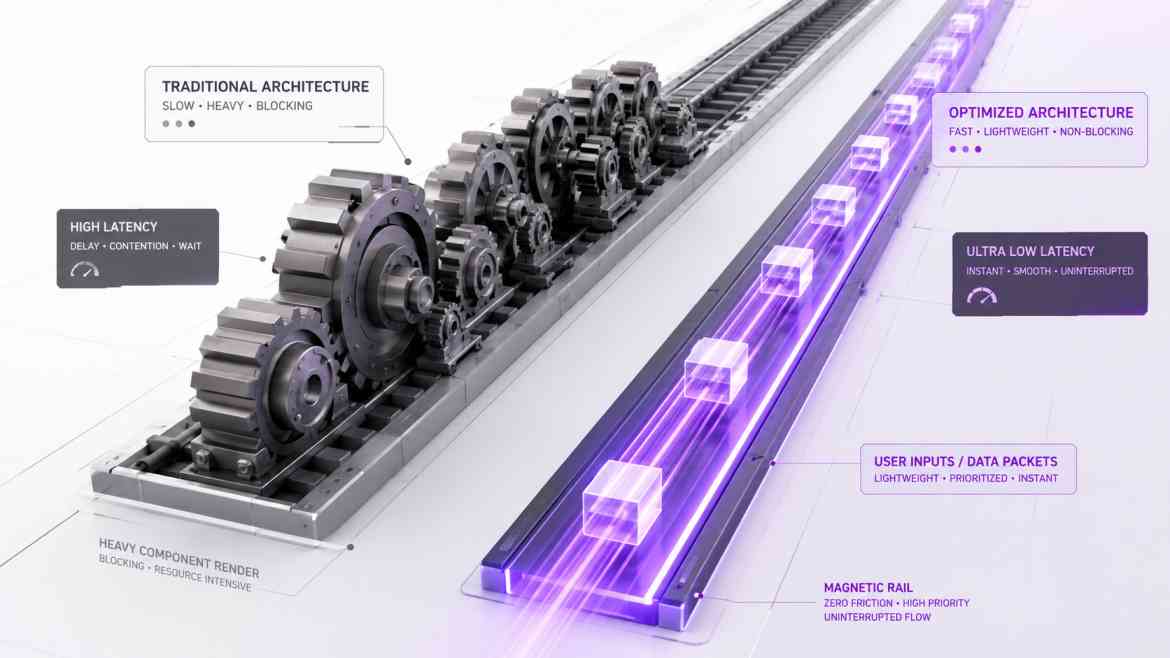
The Render Locking Problem
In data-heavy SaaS dashboards at Smart Tech Devs, rendering massive components requires serious computational power. Suppose a user clicks a "View Analytics" tab, which mounts a complex, 5,000-node charting layout. In standard React, rendering is a synchronous, blocking operation.
The millisecond the user clicks that tab, React begins calculating the DOM for the massive chart. Until it finishes, the browser's Main Thread is entirely locked. If the user instantly realizes they clicked the wrong tab and tries to click the "Settings" tab instead, the click is ignored. The screen is frozen. This blocking behavior creates a sluggish, unresponsive user experience that frustrates power users. To fix this, we must leverage Concurrent React.
The Solution: Interruptible Rendering
React 18 introduced a paradigm shift: rendering no longer has to be synchronous. We can mark specific state updates as "non-urgent" using the useTransition hook.
When you wrap a state update in startTransition, you are telling React: "This state update will trigger a heavy UI render. You can start working on it in the background, but if the user clicks anything else or types on their keyboard, interrupt the heavy render immediately and handle the user's input first."
Architecting Non-Blocking Tab Navigation
Let's refactor a sluggish tab navigation component into an interruptible, concurrent layout.
// components/dashboard/ConcurrentWorkspace.tsx
"use client";

import React, { useState, useTransition } from 'react';
import HeavyAnalyticsChart from './HeavyAnalyticsChart';
import FastSettingsPanel from './FastSettingsPanel';

export default function ConcurrentWorkspace() {
    const [activeTab, setActiveTab] = useState('settings');

    // 1. Initialize the transition hook
    const [isPending, startTransition] = useTransition();

    const switchTab = (tabName: string) => {
        // 2. Wrap the heavy state update in a transition
        // This makes the mounting of the heavy chart fully interruptible!
        startTransition(() => {
            setActiveTab(tabName);
        });
    };

    return (
        <div className="p-6 bg-white border shadow-sm rounded-xl">
            <div className="flex space-x-4 mb-6 border-b pb-2">
                <button
                    onClick={() => switchTab('settings')}
                    className={`px-4 py-2 ${activeTab === 'settings' ? 'border-b-2 border-purple-600' : ''}`}
                >
                    Settings
                </button>
                <button
                    onClick={() => switchTab('analytics')}
                    className={`px-4 py-2 ${activeTab === 'analytics' ? 'border-b-2 border-purple-600' : ''}`}
                >
                    Heavy Analytics
                </button>
            </div>

            {/* 3. Provide visual feedback while the heavy render computes in the background */}
            <div className={`transition-opacity duration-200 ${isPending ? 'opacity-50' : 'opacity-100'}`}>
                {activeTab === 'settings' && <FastSettingsPanel />}
                {activeTab === 'analytics' && <HeavyAnalyticsChart />}
            </div>
        </div>
    );
}
The Engineering ROI
By implementing useTransition, you guarantee that your application's Main UI Thread remains permanently unblocked. Even if a user triggers the rendering of a massive, CPU-intensive component, the dashboard remains perfectly responsive to subsequent clicks and inputs. You effectively decouple background layout math from immediate interaction feedback, achieving desktop-caliber fluidity in the browser.