The Single-Threaded Bottleneck
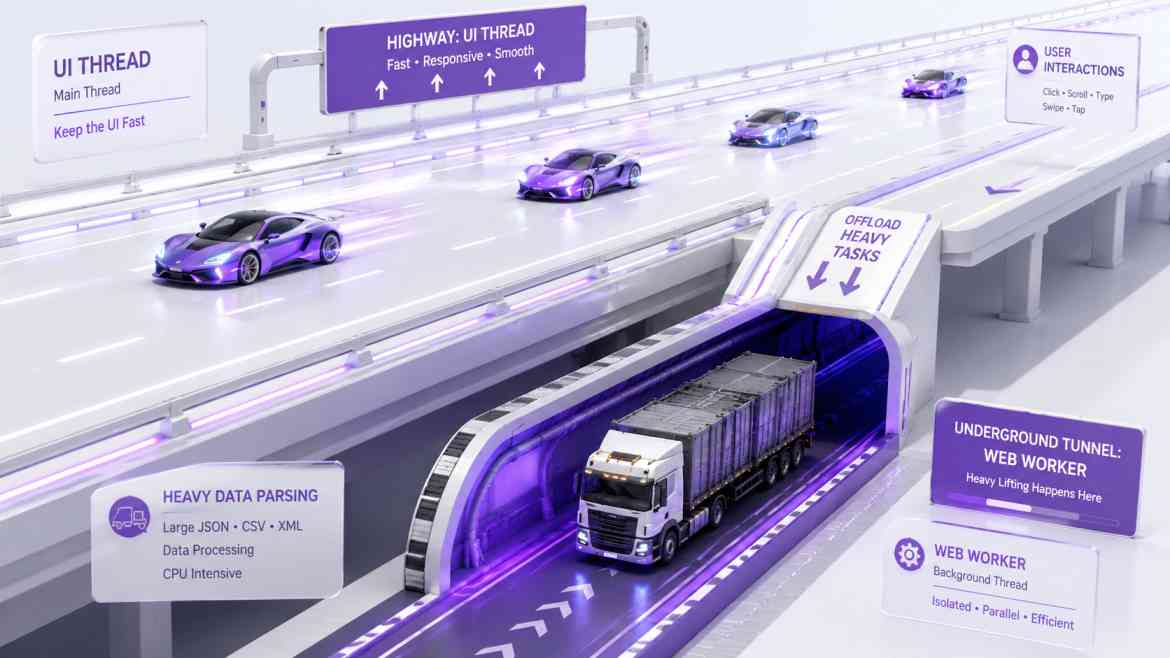
JavaScript is strictly single-threaded. This means that rendering your React components, listening to button clicks, and executing complex data parsing all share the exact same processing lane—the Main Thread.
In B2B SaaS applications, we frequently ask the client's browser to do heavy lifting. Imagine a feature where a user drops a 20MB CSV file into a Next.js dashboard, and you need to parse 50,000 rows, validate the data, and format it before uploading it to Laravel. If you run that massive for loop inside a React useEffect or an onChange handler, the Main Thread completely locks up. For three seconds, buttons won't click, animations freeze, and the entire browser tab feels dead.
The Solution: Web Workers
To architect high-performance frontends at Smart Tech Devs, we must move heavy computation off the Main Thread. We achieve this using Web Workers.
A Web Worker spins up a separate, isolated background thread in the browser. It cannot access the DOM directly, but it can crunch massive amounts of data in parallel, communicating with your React application via a simple message-passing system.
Step 1: Architecting the Worker File
First, we create a raw JavaScript (or TypeScript) file dedicated to the heavy lifting. This file lives outside of the normal React rendering cycle.
// public/workers/csvParser.js

// Listen for messages from the React Main Thread
self.addEventListener('message', (event) => {
    const { fileData } = event.data;

    // Simulate a massive, CPU-blocking parsing operation
    let parsedRows = [];
    const rows = fileData.split('\n');

    for (let i = 0; i < rows.length; i++) {
        // Heavy validation and formatting logic here...
        parsedRows.push(rows[i].split(','));
    }

    // Once finished, post the massive array back to the React app
    self.postMessage({ status: 'success', data: parsedRows });
});
Step 2: Integrating the Worker into React
Inside our React component, we instantiate the worker, send it the raw data, and listen for its response. Because the parsing happens in the background, our UI remains completely fluid.
// components/MassiveUploader.tsx
"use client";

import { useState, useRef, useEffect } from 'react';

export default function MassiveUploader() {
    const [isProcessing, setIsProcessing] = useState(false);
    const [parsedData, setParsedData] = useState([]);
    const workerRef = useRef<Worker | null>(null);

    useEffect(() => {
        // Initialize the Web Worker when the component mounts
        workerRef.current = new Worker('/workers/csvParser.js');

        // Listen for the completed data from the background thread
        workerRef.current.onmessage = (event) => {
            if (event.data.status === 'success') {
                setParsedData(event.data.data);
                setIsProcessing(false);
            }
        };

        return () => {
            // Terminate the worker to free up memory when component unmounts
            workerRef.current?.terminate();
        };
    }, []);

    const handleFileUpload = (e: React.ChangeEvent) => {
        const file = e.target.files?.[0];
        if (!file) return;

        setIsProcessing(true);

        const reader = new FileReader();
        reader.onload = (readEvent) => {
            const rawText = readEvent.target?.result;

            // Send the raw text to the background worker to parse!
            // The React UI remains 100% responsive while it processes.
            workerRef.current?.postMessage({ fileData: rawText });
        };
        reader.readAsText(file);
    };

    return (
        <div className="p-6 border rounded shadow">
            <h2>Upload Enterprise Client List</h2>
            <input type="file" accept=".csv" onChange={handleFileUpload} />

            {/* This spinner will animate flawlessly because the main thread isn't blocked! */}
            {isProcessing && <div className="animate-spin">Processing 50,000 rows...</div>}

            {parsedData.length > 0 && <p>Successfully parsed {parsedData.length} rows.</p>}
        </div>
    );
}
The Engineering ROI
By offloading heavy data parsing, PDF generation, or cryptography to Web Workers, you guarantee a 60fps, buttery-smooth user interface regardless of how much data the client is manipulating. It is the defining line between a standard web app and a truly native, desktop-quality SaaS application.