The Infinite Loop Failure
In B2B SaaS platforms at Smart Tech Devs, clients frequently need to onboard by uploading massive datasets—like a 100,000-row CSV of customer records. The naive backend approach is parsing the CSV and dispatching 100,000 individual background jobs in a simple foreach loop.
This creates a massive operational blind spot. If job #45,000 fails due to a malformed email address, how do you notify the user? How do you track the overall progress of the upload? How do you trigger an email only when all 100,000 jobs have finished? With standard dispatching, these jobs are completely disconnected. To orchestrate massive, cohesive workflows, you must implement Laravel Job Batching.
The Solution: The Bus::batch() Facade
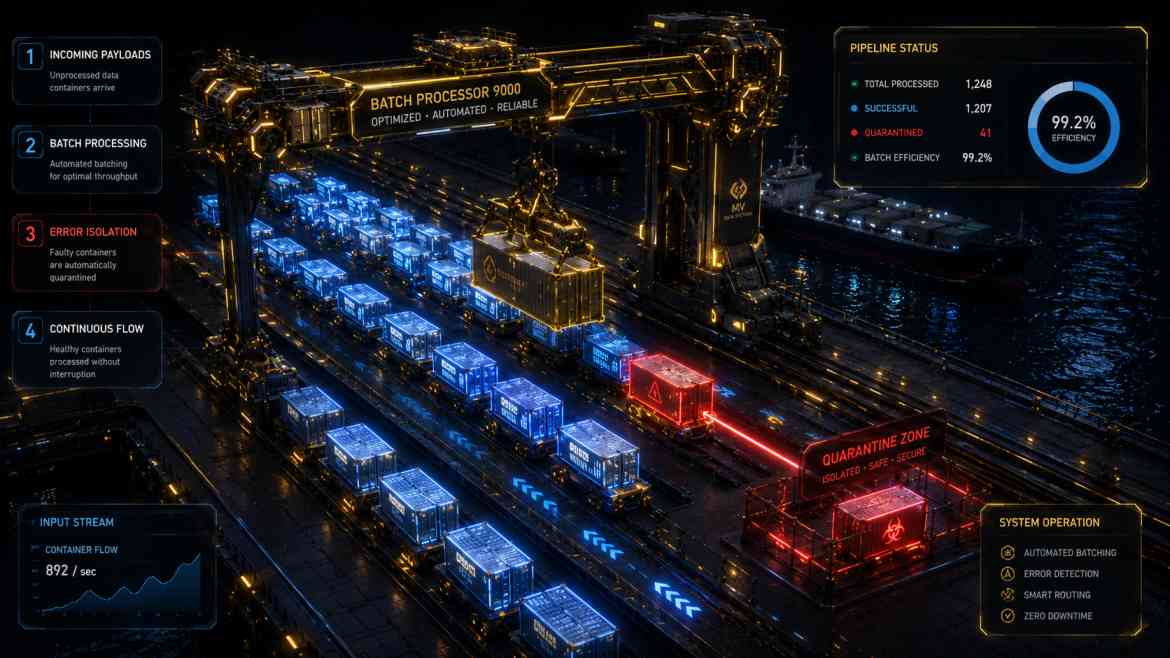
Laravel Job Batching allows you to group thousands of independent jobs into a single, trackable entity. The framework assigns the batch a unique ID, allowing your frontend to poll its exact completion percentage. Furthermore, it provides strict lifecycle hooks (then, catch, finally) to execute logic based on the holistic success or failure of the swarm.
Step 1: Architecting the Batch Dispatcher
We read the CSV using a memory-safe generator, chunk the data, and push the processing jobs into a unified batch.
namespace App\Http\Controllers\Api;

use App\Http\Controllers\Controller;
use App\Jobs\ProcessCsvRow;
use Illuminate\Http\Request;
use Illuminate\Support\Facades\Bus;
use Throwable;

class ImportController extends Controller
{
    public function importCustomers(Request $request)
    {
        $tenantId = $request->user()->tenant_id;
        $jobs = [];

        // Assume we parsed the CSV into memory-safe chunks
        foreach ($request->input('csv_rows') as $row) {
            $jobs[] = new ProcessCsvRow($tenantId, $row);
        }

        // 1. Dispatch the jobs as a single tracking entity
        $batch = Bus::batch($jobs)
            ->allowFailures() // CRITICAL: Don't cancel the whole batch if one row fails!
            ->then(function (\Illuminate\Bus\Batch $batch) use ($tenantId) {
                // 2. Executes ONLY if all jobs succeed 100%
                \Log::info("Tenant {$tenantId} import completed flawlessly.");
            })
            ->catch(function (\Illuminate\Bus\Batch $batch, Throwable $e) {
                // 3. Executes the first time a job fails
                \Log::warning("Batch {$batch->id} encountered its first error.");
            })
            ->finally(function (\Illuminate\Bus\Batch $batch) use ($tenantId) {
                // 4. Executes when all jobs finish executing, regardless of failures
                app('notification.service')->sendImportReport(
                    $tenantId,
                    $batch->processedJobs(),
                    $batch->failedJobs
                );
            })
            ->name('Customer_Import_Tenant_'.$tenantId)
            ->dispatch();

        // 5. Return the Batch ID to the frontend so it can render a real-time progress bar!
        return response()->json(['batch_id' => $batch->id]);
    }
}
Step 2: Tracking Progress on the Frontend
Because Laravel stores the batch status in the database, your React frontend can cleanly poll an endpoint (e.g., /api/batches/{id}) to render a smooth 0-100% progress bar, transforming a terrifying "black box" background process into a premium user experience.
The Engineering ROI
By leveraging Job Batching, you regain absolute control over distributed execution. You eliminate silent partial failures, provide total transparency to your end users via progress tracking, and guarantee that post-processing logic (like sending summary emails or updating ledger totals) only fires exactly when the computational swarm has completely settled.