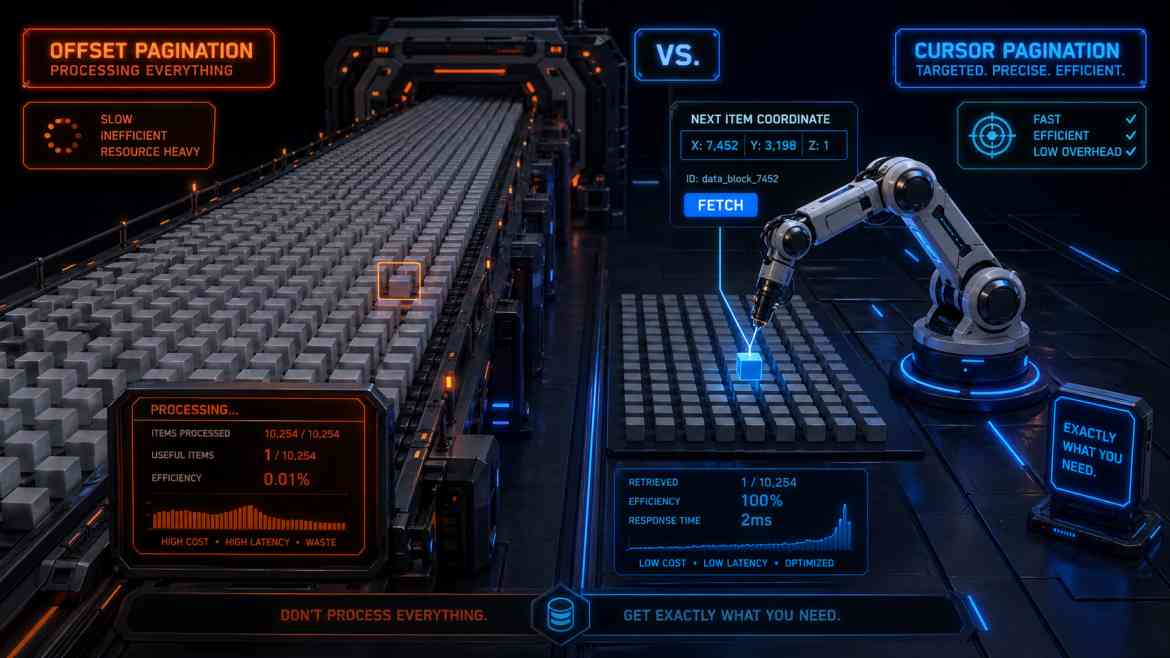
The Silent Performance Killer: OFFSET
When building data-heavy B2B SaaS platforms at Smart Tech Devs—such as audit logs, infinite-scrolling activity feeds, or massive invoice tables—pagination is mandatory. The default approach in Laravel is using the paginate() method. Under the hood, this uses standard SQL LIMIT and OFFSET.
For the first few pages, OFFSET works perfectly. But what happens when a user navigates to page 1,000 of your audit logs? The database query looks like this: SELECT * FROM audit_logs ORDER BY created_at DESC LIMIT 15 OFFSET 15000. To execute this, PostgreSQL must sequentially scan, retrieve, and discard the first 15,000 rows just to give you the 15 rows you actually requested. As your tables grow into the millions of rows, deep offset queries will bottleneck your CPU and crash your API.
The Enterprise Solution: Cursor Pagination
To architect platforms that handle infinite scale, we must abandon offset pagination and adopt Cursor Pagination (also known as Keyset Pagination).
Instead of telling the database to "skip 15,000 rows," cursor pagination passes a unique identifier (the cursor) from the last row of the previous page. The query becomes: SELECT * FROM audit_logs WHERE id < 85000 ORDER BY id DESC LIMIT 15. Because the id column is indexed, the database instantly jumps to that exact row in memory without scanning a single previous record. The performance remains consistently in the milliseconds, whether you are on page 1 or page 10,000.
Implementing Cursor Pagination in Laravel
Laravel makes switching to cursor pagination incredibly elegant. It requires almost zero changes to your actual query logic.
namespace App\Http\Controllers\Api;

use App\Http\Controllers\Controller;
use App\Models\AuditLog;
use Illuminate\Http\Request;

class AuditLogController extends Controller
{
    /**
     * Fetch logs using high-performance cursor pagination.
     */
    public function index(Request $request)
    {
        // ❌ THE ANTI-PATTERN: Offset Pagination
        // Gets slower and slower as the user pages deeper.
        // $logs = AuditLog::where('tenant_id', $request->user()->tenant_id)
        //                 ->orderBy('id', 'desc')
        //                 ->paginate(15);

        // ✅ THE ENTERPRISE PATTERN: Cursor Pagination
        // Performance is flat O(1) regardless of depth.
        $logs = AuditLog::where('tenant_id', $request->user()->tenant_id)
                        ->orderBy('id', 'desc')
                        ->cursorPaginate(15);

        return response()->json($logs);
    }
}
The Trade-offs of Cursors
While cursor pagination is the holy grail for infinite scroll and massive datasets, it comes with specific architectural trade-offs:
- No Page Numbers: You cannot show users "Page 5 of 100". You can only provide "Next" and "Previous" buttons. For infinite scrolling feeds (like Twitter or Slack), this is perfectly fine.
- Strict Ordering: You must order by a unique, sequential column (like an auto-incrementing
idor a uniquecreated_attimestamp) for the cursor to maintain its reference point.
Conclusion
If your B2B SaaS features infinite scrolling or massive data tables, relying on default offset pagination is an architectural flaw waiting to be exposed. By migrating to Laravel's cursorPaginate(), you shift the burden away from the database CPU and leverage your indexes correctly, ensuring your API remains blazingly fast at any scale.